What Is Game Changer Software and How Does It Work?
If your team is juggling a paper scorebook, group texts, livestream links, and last-minute schedule changes, GameChanger can replace a lot of that busywork in one app. Game changer software is mainly used to score games, track stats, stream live video, manage schedules, and keep families updated. Its strongest fit is still baseball and softball, but it can also be useful for other teams that mostly need communication, schedules, and remote game access.
What can you do with GameChanger?
GameChanger is most useful when one team needs one shared place for game-day activity and season information. The first thing to decide is what your team actually needs: detailed scoring and stats, simple team organization, live streaming for families, or all of those together.
Keep score during games
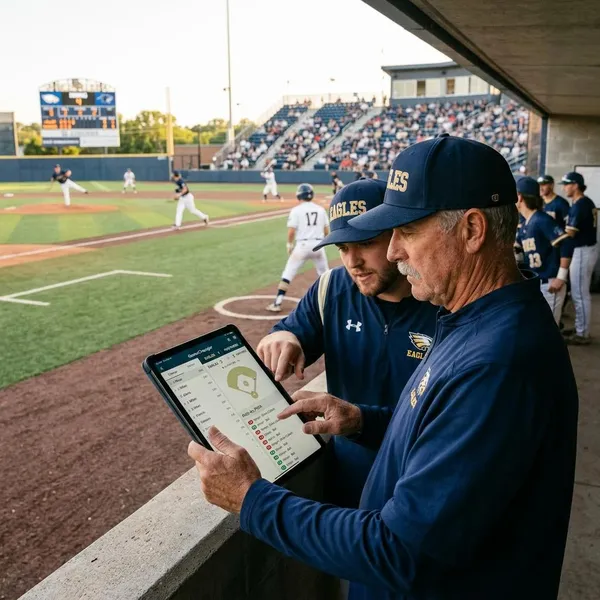
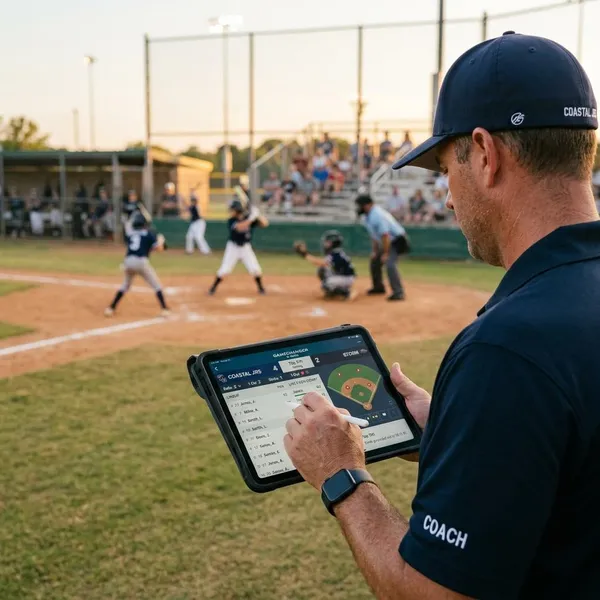
GameChanger lets a scorekeeper record the game as it happens, with the most detailed experience in baseball and softball. Instead of writing everything in a paper book and re-entering it later, the scorekeeper can log plays in the app and create a live scoreboard, play-by-play record, and game summary from the same entries.
Track player and team stats
Stats come from the events entered during scoring, so accuracy matters more than the app itself. In baseball and softball, teams can usually get useful player and team numbers such as batting, pitching, and game results; other sports may have lighter stat options depending on current support.
- Best use: coaches reviewing trends across a season.
- Less useful: teams that only score games occasionally or inconsistently.
- Common mistake: treating stats as final truth when the scoring entries were rushed or incomplete.
Stream games live
Teams can use GameChanger to livestream games so parents, grandparents, and fans can watch remotely. This is especially helpful for weekday games, travel tournaments, or households where one parent is at work while another is at the field.
Manage rosters and schedules
Rosters and schedules give the rest of the app its structure. Coaches or team admins can add players, staff, games, practices, locations, and changes so families know where to look instead of searching through old texts.
Send team updates and messages
GameChanger can also handle team announcements, reminders, and schedule changes. The practical advantage is context: a weather delay, field change, or arrival-time reminder sits close to the event details instead of getting buried in a separate group chat.
How does GameChanger work?
GameChanger works by connecting setup, game-day activity, and post-game review. The cleanest workflow is simple: create or join a team, add accurate roster and schedule details, score or stream the game, then review what was captured afterward.
Create or join a team
A coach or team admin usually creates the team, while parents, players, scorekeepers, and fans join through an invite or team search. Roles matter because not everyone should be able to change rosters, schedules, or game data.
- Coach/admin: manages team setup and season information.
- Scorekeeper: enters live game events.
- Family or fan: follows updates, schedules, and available media.
Add players and schedules
After the team exists, add the roster and schedule before inviting everyone to rely on the app. Player names, staff roles, opponents, field locations, and start times should be checked early because these details affect reminders, scoring, stats, and family access.
Score or stream games
On game day, one person can score, another can stream, or a team can use only one of those features. For a stat-focused baseball team, scoring may be essential; for a younger recreational team, a simple stream and accurate schedule may be enough.
If your team is new to the app, choose one feature to get right first. A reliable live score is better than trying to score, stream, message, and troubleshoot all at once with no practice.
Share live updates with families
When scoring is active, followers can see game progress through the app; when streaming is enabled, approved viewers may be able to watch live video as well. This reduces the need for one parent to send constant text updates from the sideline.
Review stats and game content
After the game, teams can review results, stats, and available video or clips. Coaches may use this to check patterns, families may revisit key moments, and scorekeepers can catch obvious errors while the game is still fresh.
What sports does GameChanger support?
GameChanger supports several team sports, but the feature depth is not identical for every sport. Baseball and softball usually get the richest scoring and stat experience, while many other teams may use the app more for schedules, messaging, streaming, and basic game coverage.
| Team situation | What GameChanger is most likely to help with |
|---|---|
| Baseball or softball with regular scoring | Detailed scorekeeping, stats, play-by-play, and season records |
| Travel team with distant family | Livestreaming, game updates, and shared schedules |
| Recreational team with busy parents | Messages, reminders, locations, and simple organization |
| League with several teams | More consistent rosters, schedules, and team setup |
Baseball and softball
Baseball and softball are the clearest fit for GameChanger because the sports work naturally with pitch-by-pitch and play-by-play scoring. Teams can use the app as a digital scorebook, a stat tracker, a live update tool, and a season archive.
Basketball and volleyball
Basketball and volleyball teams can use GameChanger, though the experience may be more focused on organization and coverage than deep statistics. For tournament weekends, it can still be very helpful because schedules, locations, updates, and remote access are often the hardest parts to keep straight.
Soccer and football
Soccer and football teams may use GameChanger for schedules, team communication, score updates, and livestreaming. If your main goal is advanced sport-specific analysis, check the current feature set before committing the whole team to it.
If your main goal is keeping parents informed across practices, away games, and weather changes, the app can still solve a real problem even without baseball-level stat detail.
Hockey and lacrosse
Hockey and lacrosse teams can benefit when they need a central place for rosters, events, messages, and game access. Travel teams in particular may find it useful because families often split up across work, siblings' schedules, and weekend tournaments.
Other supported team sports
GameChanger may support additional team sports, and available tools can change over time. Before setting up a full season, create or preview the team by sport and check whether the features you care about—scoring, streaming, schedules, or messaging—are actually available for that setup.
Who is GameChanger best for?
GameChanger is best for teams that have enough activity to make a shared app worthwhile. If your team has a full schedule, frequent updates, remote family members, or a need for reliable stats, it can save time. If your team plays only a few casual games and already communicates clearly, it may be more app than you need.
Coaches who manage teams
Coaches get the most value when they use GameChanger as the team's main source for schedules, rosters, and updates. It cuts down on repeated questions like "What field are we on?" or "Did the time change?" because the answer lives in one expected place.
Scorekeepers who track games
Scorekeepers benefit from having a digital scorebook that can feed live updates and post-game stats. For baseball and softball, this can be a real upgrade over paper if the person scoring understands the flow of the game.
Parents who follow their players
Parents can use GameChanger to check schedules, receive updates, follow game progress, and view available streams or content. It is especially useful when one parent cannot attend but still wants more than a final score text.
- Good fit: split households, working parents, travel weekends, and relatives out of town.
- Less important: small teams where every family is usually present and updates rarely change.
Fans who watch games remotely
Fans who live far away can follow a team without depending on someone at the game to send photos or score updates. Access may depend on the team's settings and any viewer plan rules, so it is worth confirming before promising relatives they can watch every game.
Leagues that manage multiple teams
Leagues can use GameChanger to make team setup more consistent across age groups, divisions, or seasons. When supported imports or connected systems are available, league organizers may reduce duplicate roster and schedule entry.
How to get started with GameChanger
The easiest way to start is to set up only the essentials first: account, team, roster, schedule, invites, and one test game. You can add more features later, but those basics need to be right before families start depending on the app.
Create a GameChanger account
Create an account through the app or website using a login you can access throughout the season. This sounds minor, but it matters when the person managing the team changes phones, hands off duties, or needs to make a quick update before a game.
Create or import your team
Create a new team if you are starting from scratch, or import team information if your league or connected system supports it. Check the sport, season, team name, and staff roles before moving on; fixing a messy setup later is more annoying than getting it right at the start.
Add the roster and schedule
Add players, staff, games, practices, locations, and opponents as completely as you can. A practical first pass is enough, but do not skip field names, start times, or player names if you plan to score games.
- Check names: avoid duplicate or misspelled players before stats begin.
- Check locations: add the field or court detail families actually need.
- Check dates and times: wrong schedule data creates more confusion than no app at all.
Invite players and families
Invite families before the first game, not during warmups. Give them time to join, confirm they are connected to the correct team, and understand where updates will appear.
Set up your first game
For the first game, confirm the opponent, location, time, scorekeeper, and streaming plan if you are using video. A five-minute test before game day can prevent the most common problems: no one has access, the wrong person is trying to score, the stream angle is poor, or families do not know where to watch.
If the team is new to GameChanger, treat the first game as a setup run rather than a perfect production. Once the basic workflow feels comfortable, adding stats review, clips, or more detailed coverage becomes much easier.
Conclusion
GameChanger is worth trying if your team needs a cleaner way to score games, share updates, manage schedules, or help families follow from a distance. Start with the features your team will actually use every week, then add scoring, streaming, or deeper stats only when someone is ready to manage them well.