How Do You Create a Usable 3D Avatar Character?
A 3D avatar is worth making only after you know where you want to use it, because games, VTubing apps, VR worlds, and meeting tools all accept different formats and features. Start with the platform first, then choose a creator that can export the right kind of model instead of spending hours on a character you cannot import later.
What is a 3D avatar?
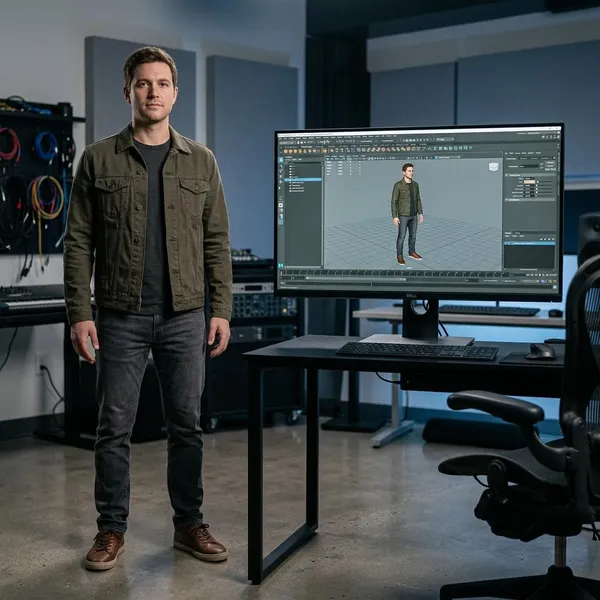
A 3D avatar is a digital character with depth, shape, and structure, so it can be viewed and animated from different angles. Unlike a flat profile image, it can turn, move, gesture, wear outfits, and sometimes react to your face or voice in real time.
- For casual use: a simple styled character may be enough.
- For games or VR: movement, scale, and performance matter more.
- For VTubing: facial expressions, blinking, and mouth movement are usually the priority.
Where can you use a 3D avatar?
You can use a 3D avatar in games, virtual worlds, live streams, VR apps, online meetings, and creative projects. The catch is that each space has its own limits, so the same avatar may need small changes before it works everywhere.
Games and virtual worlds
In games and social worlds, your avatar is usually your visible identity. A clean silhouette, correct scale, and stable performance often matter more than tiny details in the hair, shoes, or accessories.
For a casual virtual world, a ready-made avatar creator may be enough. For a public multiplayer space where other users will see your model in motion, check import rules, texture limits, shaders, and whether the avatar needs a full-body rig. Overdesigned clothing and heavy materials can make a model look impressive but perform badly.
VTubing and live streams
For VTubing, the face has to read well in a small video frame. Clear eyes, visible mouth movement, strong expressions, and a design that does not blur into the background are more useful than a highly detailed outfit viewers barely see.
- Basic streaming: webcam tracking may be enough for head movement and lip sync.
- More expressive streaming: look for blendshapes, emotion presets, or better face tracking support.
- Long-term channel branding: confirm commercial rights before you build your identity around the model.
VR apps and virtual meetings
VR and meeting avatars work best when they feel appropriate for the room. A playful character may be fine for a casual hangout, while a simpler and cleaner design usually fits better in a work meeting or presentation.
Ways to create a 3D avatar
There are three practical routes: customize a ready-made character, generate one from a photo, or build a custom model in 3D software. The best choice depends on how fast you need the result, how unique it must be, and whether you need export control.
| Creation route | Best for | Main trade-off |
|---|---|---|
| Ready-made creator | Fast casual avatars and beginners | Less control over small details |
| Photo-based generator | A character that resembles a real person | May need cleanup after generation |
| Custom 3D software | Unique, branded, or technical projects | Slowest and hardest to learn |
How to make your first 3D avatar
The safest workflow is simple: check the platform, pick a compatible tool, customize the model, set up movement if needed, then export and test. Do not start with the hairstyle or outfit first; start with whether the avatar can actually be used where you want to show up.
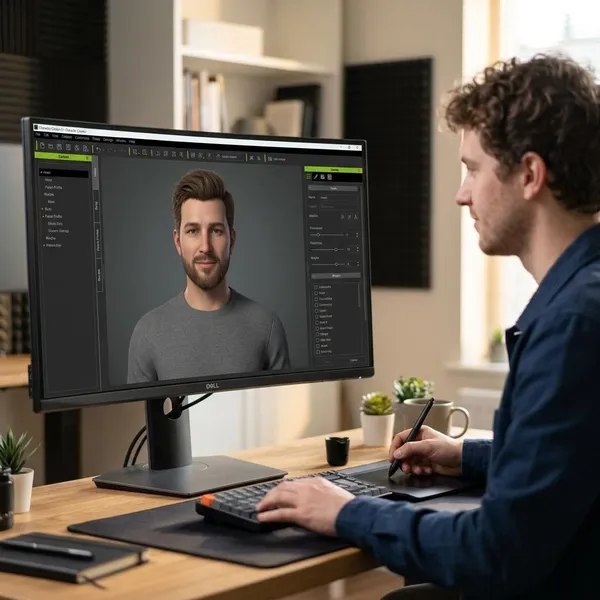
Check your platform's avatar requirements
Before designing anything, look for the platform's accepted file formats, avatar type, rigging needs, upload limits, and license rules. Some apps only allow built-in avatars, while others accept imported models but expect a certain structure.
- For VR worlds: check performance and supported avatar systems.
- For VTubing: check face tracking, expressions, and lip sync support.
- For meetings: check whether custom imports are allowed at all.
Choose a compatible avatar tool
Pick the tool after you know the target platform. A browser-based creator is fine for simple use. A selfie-based generator is better if resemblance matters. A full 3D workflow is better if you need control over rigging, exports, or commercial production.
When comparing tools, look past the preview images. Check export formats, whether the model is rigged, whether facial controls are included, and what the free or paid license allows. A tool is only "easy" if it saves time all the way through export, not just during character design.
Customize the face, body, and outfit
Make the avatar recognizable first, then make it decorative. Face shape, hairstyle, color contrast, and a readable outfit usually do more for identity than adding lots of accessories.
For a temporary game night, small imperfections do not matter much. For a streamer, public presenter, or commercial project, spend more time checking how the avatar looks in the actual frame or environment. A design that works in a full-body editor may look too busy once it is cropped to the shoulders.
Set up movement or tracking if needed
If the avatar only appears as a static or lightly animated character, you may not need extra tracking. If it will represent you live, test the basics early: head turns, blinking, mouth movement, expressions, and hand or body motion if the platform supports them.
A webcam can be enough for a simple VTubing setup, while more detailed movement may need a phone, VR headset, trackers, or motion capture tools. Avoid buying hardware before confirming that your avatar format and software can use it.
Export and test on your platform
Export in the format your platform expects, then test the avatar inside the real app, engine, or streaming setup. Look for broken textures, wrong scale, stiff joints, missing expressions, clothing clipping, and performance drops.
- Import the file: confirm it opens without missing materials.
- Move the avatar: walk, turn, gesture, or trigger expressions.
- Check the frame: make sure the face and silhouette stay readable.
- Review the license: confirm personal, monetized, or client use before publishing.
Conclusion
Your first 3D avatar does not need to be perfect; it needs to fit the place where you plan to use it. If you check compatibility first, keep the design readable, and test the export before committing to it, you will avoid most beginner problems and end up with a character that is actually useful instead of just nice to look at.