What Can Algoriddim djay Do for DJs?
Algoriddim software makes the most sense if you want DJ software that can move between a laptop, iPad, phone, and supported hardware without starting over each time. djay can be simple enough for practice, but the real decision is whether your device, controller, and performance style match the features you expect to use.
What can you do with Algoriddim djay?
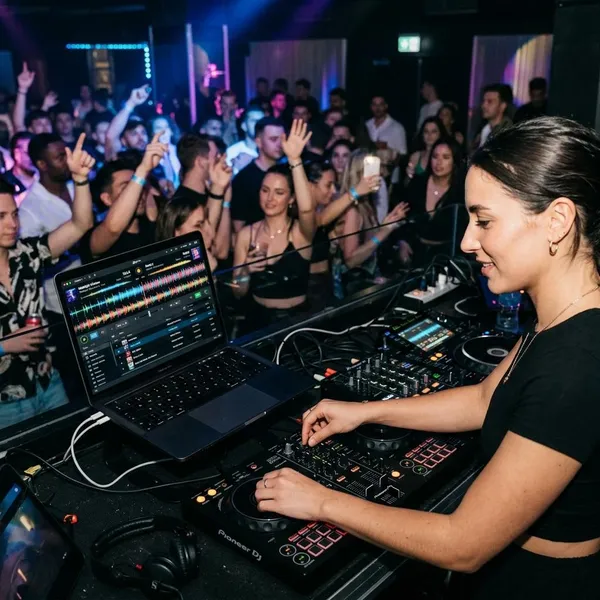
Algoriddim djay is built for mixing digital music, performing with controllers, using real-time stems, and, in the right setup, controlling tracks with DVS. It is not just a phone app, but it is also not automatically a full club system unless the hardware and platform support the workflow you want.
Mix and perform with multiple decks
djay supports the usual two-deck workflow and, on suitable setups, four-deck mixing. Two decks are enough for learning phrasing, EQ blends, cue points, and clean transitions. Four decks become useful when you want to layer loops, acapellas, percussion, or background elements over the main mix.
Separate stems with Neural Mix
Neural Mix is one of djay's standout features because it can separate parts of a song, such as vocals, drums, and instruments, in real time. This gives you more control over transitions: for example, you can pull down a vocal to avoid a clash, isolate drums for a cleaner blend, or bring an acapella over another instrumental.
- Best use: live remixing, cleaner transitions, and creative open-format sets.
- Less ideal: relying on stems to fix poor song choices or weak timing.
- Check first: whether your device handles stems smoothly during real playback.
Connect DJ controllers and mixers
Controllers and mixers can make djay feel much more natural than using only a touchscreen or trackpad. Native support matters most here. When a controller is properly supported, the jog wheels, pads, faders, cue buttons, audio outputs, and sometimes Neural Mix controls are already mapped in a sensible way.
Use DVS with compatible hardware
DVS lets you control digital tracks with turntables and control vinyl, but it only makes sense with compatible hardware and a setup that has been checked carefully. It is mainly for DJs who already like vinyl-style control, scratching, cue drags, and physical platter movement.
For casual home mixing, DVS is probably more setup than you need. For a scratch DJ or someone moving between turntables and digital libraries, it can be the reason djay feels serious rather than just convenient.
Which platforms support Algoriddim djay?
djay is available across macOS, Windows, iPhone, iPad, and Android, but the experience is not identical on every platform. This is the first thing to decide before buying hardware, because one controller or feature may work differently depending on the device you connect it to.
macOS and Windows
macOS is often the stronger choice for DJs who want deeper hardware support, more advanced routing, and a clearer upgrade path. A MacBook with a natively supported controller is one of the safer djay setups for regular use.
Windows can still work well for practicing, playlist management, and controller-based mixing when your hardware is confirmed to work. The cautious point is not that Windows is unusable; it is that you should verify the exact controller, operating system version, and feature support before assuming it will behave like the Mac version.
iPhone and iPad
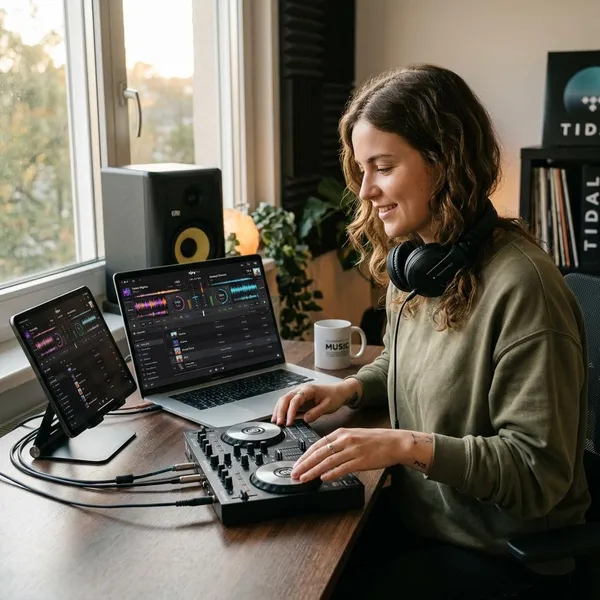
The iPad is where djay feels especially natural. The screen is large enough for browsing, waveforms, cue points, and effects, while still being easier to carry than a laptop setup. For a house party, small mobile gig, travel setup, or backup rig, an iPad with a supported controller can be a very practical middle ground.
The iPhone version is better treated as a lightweight option. It is useful for trying ideas, learning the interface, or emergency playback, but the smaller screen can feel limiting for longer performance sessions.
Android phones and tablets
Android support gives more people access to djay, especially if they want to experiment before buying new hardware. It can be fine for basic mixing and learning the layout.
The main risk is device variation. Android phones and tablets differ widely in screen size, processor power, audio behavior, and accessory support. If you plan to connect a controller or use djay for anything beyond casual practice, check recent compatibility information for your exact device rather than relying on Android support in general.
What hardware works with Algoriddim djay?
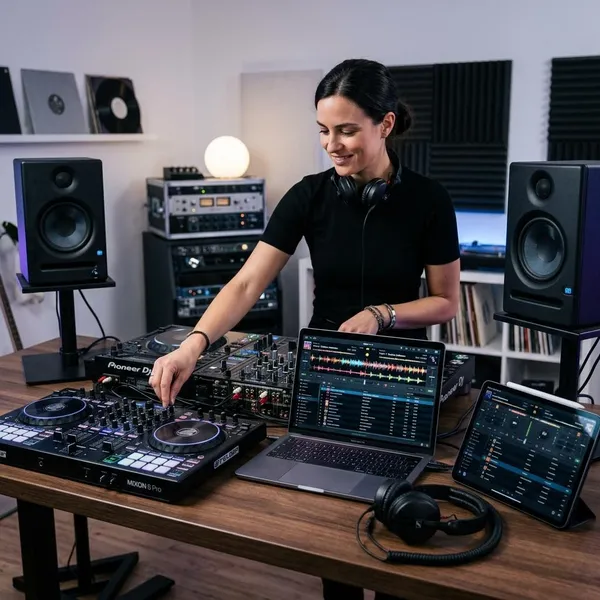
djay can work with natively supported DJ controllers, selected mixers and CDJs, MIDI-mapped controllers, and compatible DVS or audio interface setups. The safest option is usually native support, because the software and hardware are already designed to talk to each other properly.
Hardware quality alone is not enough. A controller can be excellent with Serato, Rekordbox, or VirtualDJ and still feel limited in djay if the mapping, lights, audio routing, or advanced controls are not fully supported.
Natively supported DJ controllers
Natively supported controllers are the best starting point for most djay users. They reduce setup time and make important controls easier to trust during a session.
Controllers often associated with djay workflows include models such as the Reloop Buddy and Reloop Mixon 8 Pro. The better choice depends less on which one looks more professional and more on whether it fits your device, space, and performance needs.
Supported mixers and CDJs
Some mixers and media players can work directly with djay, which matters most if you want a setup that feels closer to a booth or club-style environment. This is not the first route most beginners need, but it can be useful for experienced DJs who already understand external mixers, turntables, or media player layouts.
Before building this kind of setup, confirm the exact model and platform support. "Works with djay" should mean more than basic audio output; you want to know whether deck control, routing, cueing, and any performance features you need are actually supported.
MIDI-mapped controllers
Unsupported MIDI controllers may work through manual mapping if they send standard MIDI messages. This can be a smart way to reuse gear you already own, especially for home practice.
The limitation is polish. Play, cue, EQ, and faders may be easy enough to map, while jog wheels, pad lights, displays, stems controls, and advanced modes may feel incomplete. For occasional use, that compromise may be acceptable. For paid work, native support is usually the safer call.
DVS and audio interfaces
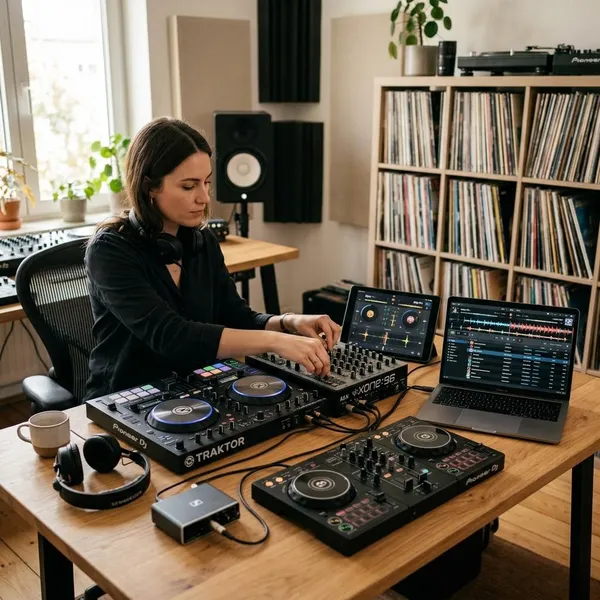
DVS setups need the most careful checking because the mixer, interface, control vinyl, turntables, and platform all have to work together. This is where assumptions get expensive. Do not buy a DVS setup for djay based only on one forum comment or a broad compatibility claim.
If your priority is scratching or vinyl-style performance, focus on confirmed DVS support and real-world reports from users with the same setup. If you simply want a more physical feel than small jog wheels, a supported controller with larger or motorized platters may be easier to manage than a full DVS rig.
How do you choose hardware for djay?
The best way to choose hardware for djay is to decide in this order: platform first, DJ style second, must-have features third, and official support last before buying. Price and appearance come after those checks, not before them.
Check your platform first
Start with the device you will actually use most: Mac, Windows laptop, iPad, iPhone, or Android. Then check hardware support for that exact platform. If you plan to play mostly on iPad, a controller that is excellent on macOS but awkward on iPad is not the right buy.
Match the gear to your DJ style
Your style should narrow the options quickly. A home learner can choose a simple two-channel controller and focus on timing, phrasing, and clean levels. A mobile DJ should care more about setup speed, microphone options, reliable outputs, and a layout that is easy to read in poor lighting.
Choose the features you need
Make a short must-have list before you compare models. Keep it honest. If Neural Mix is the feature that attracts you to djay, choose hardware that gives you fast access to stems. If you want to play small events, cue monitoring and output options may matter more than flashy pad modes.
Confirm support before buying
Before you pay, check Algoriddim's current hardware support information and look for recent user feedback for the same platform. Support can change over time, and older videos or shop descriptions may not reflect the current version of djay.
Who is Algoriddim djay best for?
Algoriddim djay is best for DJs who want flexibility, portability, and modern creative tools without committing to one fixed hardware route right away. It is especially appealing if you like Apple devices, want a strong iPad option, or care about stems.
Beginner DJs
Beginners can start with djay without buying a large setup immediately. A phone, tablet, or laptop is enough to understand the basics: cueing, counting phrases, adjusting EQ, and building transitions.
The better beginner path is to learn the workflow first, then add a supported controller when you know what feels limiting. Buying too much gear too early can make the learning curve steeper instead of easier.
Mobile DJs
Mobile DJs may like djay because compact setups are easier to carry and faster to place in awkward spaces. An iPad and supported controller can make sense for private parties, small venues, backup playback, or events where a large booth-style rig would be overkill.
For paid events, portability should not be the only reason to choose it. Check audio outputs, microphone needs, charging or power arrangements, and how quickly you can recover if something disconnects.
Controller-based DJs
Controller-based DJs are one of the clearest fits for djay. With a well-supported controller, the software can cover home practice, livestreams, casual parties, and many smaller gigs without needing CDJs or turntables.
DJs using stems or DVS
DJs who want stems or vinyl-style control should put djay on the shortlist. Neural Mix gives it a creative edge for live remixing, while compatible DVS setups can serve DJs who still want the feel of turntables.
This is also the group that needs the most careful buying process. Stems depend on device performance, and DVS depends on exact hardware support. If either feature is central to your sets, test or verify it before building your whole setup around it.
Conclusion
Algoriddim djay is a strong choice when you want flexible DJ software that can stay simple at first and grow into a more capable setup later. Choose your platform before your controller, be honest about the way you actually DJ, and confirm support for the features that matter most; when those pieces line up, djay can be a practical and creative setup rather than just another app to experiment with.