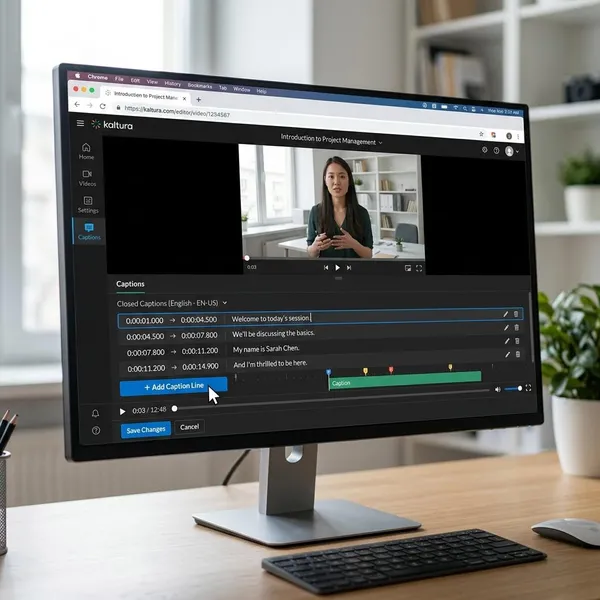
Need AI Avatars for Business Training Videos?
If you need ai avatar software with fast video export options, judge the tool by the whole workflow, not only the first render. A platform is genuinely fast when you can create the first draft, fix one scene, download a clean file, and publish it without awkward extra steps. For most business and training teams, revision speed and export access matter just as much as the render timer.
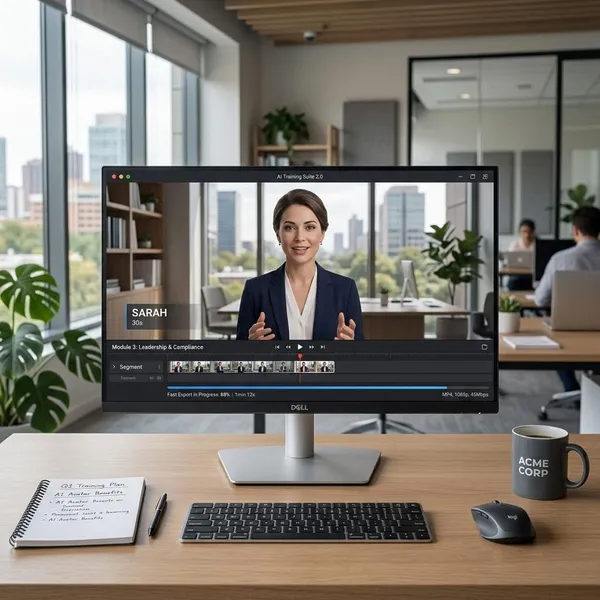
Best AI avatar software for fast video export
The best choice depends on what "fast" means in your day-to-day work. A solo creator making short clips may care most about quick generation and MP4 downloads. A training team may save more time with scene updates, LMS publishing, and reusable course structure.
EasyVideo for end-to-end training content
EasyVideo is the strongest fit when avatar video is part of a larger training workflow. It is useful for onboarding, product education, compliance refreshers, and internal lessons where scripts change often and videos need to sit inside a course or learning path.
- Best for: teams building repeatable training content.
- Speed advantage: fewer handoffs between video creation, lesson building, and delivery.
- Watch for: whether your required export format and LMS workflow are included in the plan you choose.
Synthesia for polished business videos
Synthesia is a good option when the final video needs to look clean and presentation-ready. It suits internal updates, sales enablement, product explainers, and executive-style messages where a polished presenter matters more than interactive course features.
Colossyan for interactive training videos
Colossyan is worth considering for learning and development teams that need more structure than a basic talking-avatar clip. It fits policy training, compliance modules, and process walkthroughs where content may need regular updates.
HeyGen for multilingual avatar videos
HeyGen is a strong pick when language versions are the bottleneck. For a startup making one product update in five languages, or a marketing team adapting the same explainer for several regions, the ability to move from one script to localized versions can save more time than shaving a minute off a single render.
It works best for flexible communication videos rather than full training ecosystems. Check voice quality in your target languages before committing, because a fast export still falls flat if the voice sounds unnatural to the audience.
D-ID for quick talking-avatar clips
D-ID is the lightweight choice for simple speaking-avatar clips, especially when you want to animate an existing image, mascot, or portrait. It is useful for short explainers, quick internal messages, and creative tests where a full avatar studio would be overkill.
How to compare fast-export AI avatar tools
Use the same short script in every platform before you decide. A fair test should include the first render, one small edit, the final download, and any sharing or publishing step you actually need. That gives you a better picture than feature pages or vague "fast rendering" claims.
Time to render the same script
Start with a 60- to 90-second script, one avatar, one voice, and the same target resolution in each tool. Time the process from clicking generate to having a usable preview or exported file.
Time to revise one scene
Revision speed is where many tools either become useful or frustrating. Change one sentence in the middle of the video and see whether you can regenerate only that section or whether the whole project becomes slow again.
- Good sign: quick scene edits without disturbing the rest of the video.
- Warning sign: every minor wording change requires a long full export.
- Best test: update a product name, a date, or a policy step after the first render.
Available formats and resolution
Fast export is only valuable if the file works where you need it. MP4 is usually the safest baseline, while 1080p is often enough for business presentations, training portals, and embedded course videos.
Also check aspect ratios before paying. A tool may work well for landscape training videos but create extra work if you also need square or vertical clips for social channels.
Download and sharing limits
Plan limits can change the real value of a fast tool. Before subscribing, confirm whether your plan includes clean MP4 downloads, watermark-free exports, enough video minutes, and the right sharing options.
Translation and dubbing speed
For multilingual work, test one complete localization cycle rather than only checking how many languages the platform lists. Duplicate the project, translate or replace the script, choose the voice, review pronunciation, and export the new version.
LMS and team publishing options
For training teams, the clock should not stop when the video file is generated. Measure how long it takes to get the finished video into your LMS, course builder, knowledge base, or review workflow.
- Create one short video and export it in the format you need.
- Make one mid-script revision and check how much work it takes.
- Share it with a reviewer or publish it to your normal training destination.
- Note any manual downloading, re-uploading, permissions, or formatting steps.
What each AI avatar platform does best
Once you know your workflow, the shortlist becomes much easier. The right platform is usually the one that removes your biggest bottleneck: course delivery, presentation polish, localization, or quick clip creation.
EasyVideo for courses and onboarding
Choose EasyVideo if your videos need to become part of structured learning. It is especially relevant for onboarding paths, internal academies, product training, and employee education where content needs updating over time.
Synthesia for business presentations
Synthesia fits teams that want professional presenter videos without a traditional production setup. It is a safe shortlist option for departments creating polished announcements, explainers, sales support videos, or leadership messages.
Colossyan for learning and compliance
Colossyan is strongest when consistency and repeatability matter. Compliance teams, HR departments, and learning managers often need videos that explain the same process clearly and can be updated when the rules change.
HeyGen for global video production
HeyGen is best when you regularly need multiple language versions of the same core message. It works well for product explainers, customer updates, and international team communication where speed across languages is the main pressure.
D-ID for simple avatar clips
D-ID is the practical choice for quick talking-image videos. Use it when the job is small, the setup needs to be simple, and you do not need course features, complex editing, or a full presenter-video workflow.
How to choose the right AI avatar software
Pick the tool around your most common project, not the rare one. A platform for monthly polished board updates does not need the same strengths as a platform for weekly training revisions or ten-language product announcements.
Match the tool to your video type
If you mainly create training, prioritize update speed, course structure, and publishing. If you create business presentations, prioritize avatar quality, voice polish, and clean downloads. If you create quick social or internal clips, a simpler tool may be faster because there is less setup.
Check the formats you need
Write down your required output before testing: MP4, 1080p, landscape, vertical, subtitles, or any platform-specific upload requirement. Then confirm that the plan you would actually buy supports those outputs without extra conversion work.
Review language and voice support
Do not judge language support only by the number on the pricing page. Test the exact languages and voices your audience will hear, especially if the video includes product names, acronyms, technical terms, or regional pronunciation.
Test avatar and audio quality
Audio quality often matters more than people expect. Viewers may forgive a slightly synthetic avatar, but unclear pacing, strange emphasis, or poor lip sync can make a training or sales video feel cheap.
Confirm team and LMS integrations
If more than one person reviews your videos, look for shared workspaces, comments, approvals, permissions, or easy link sharing. For training content, also check whether the tool fits your LMS or course publishing process.
Compare plan limits and export access
Compare plans using your real monthly workload. Count expected video minutes, number of exports, language versions, reviewers, avatar needs, and whether you need watermark-free or commercial-use files.
- For light use: prioritize simple MP4 downloads and a low learning curve.
- For ongoing training: prioritize revision access, storage, LMS workflow, and team roles.
- For multilingual output: prioritize dubbing, voice quality, and enough export minutes for several versions.
- For client-facing work: confirm branding rules, resolution, and commercial rights before building projects.

Conclusion
The best pick is the one that removes the slowest part of your real workflow. EasyVideo makes the most sense for training and onboarding, Synthesia for polished business videos, Colossyan for learning and compliance, HeyGen for multilingual production, and D-ID for quick talking-avatar clips. Test one short script, one revision, and one final download before committing, because that small trial usually reveals whether the software will actually save time.