How Hard Is 3ds Max to Learn?
3ds Max can feel challenging at first, especially for beginners who are new to 3D software, but it becomes much easier to learn when approached step by step. The main difficulty is not a single tool—it is getting comfortable with the interface, viewport navigation, modeling workflow, materials, lighting, and rendering. Starting with basic navigation and simple modeling before moving into complex scenes helps reduce frustration and makes the learning process far more manageable.
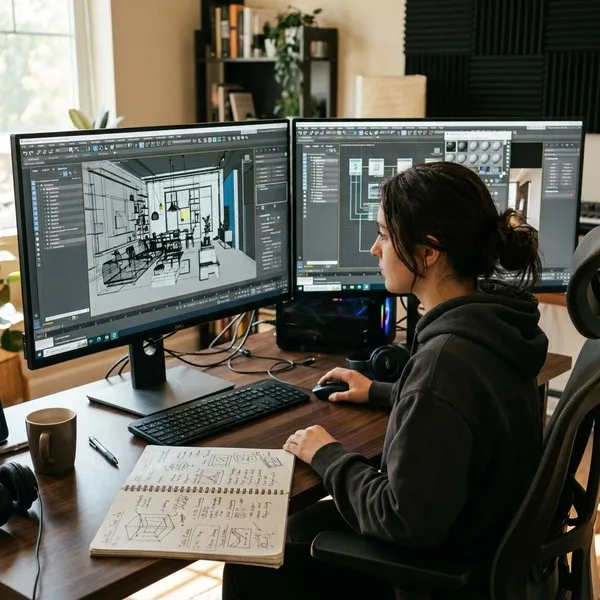
How hard is 3ds Max to learn?
3ds Max is moderately hard at the beginning and much harder if you try to learn every feature at the same time. A beginner who wants to model a simple room, table, or product shape does not need the same path as someone aiming for character animation, complex simulations, or production-ready architectural visualization.
The first few weeks feel difficult
The first few weeks can feel slow because even simple actions require attention. You may spend more time finding commands, fixing selection mistakes, or adjusting the view than actually building the object you had in mind.
That is normal with professional 3D software. A misplaced pivot, the wrong sub-object mode, or a confusing camera angle can make a basic task feel harder than it is. At this stage, the goal is not impressive work; it is making the workspace feel familiar enough that small problems no longer stop you.
Basic tools become easier with practice
Basic tools improve quickly with repetition. Move, rotate, scale, primitives, editable poly tools, and simple modifiers feel awkward at first, but they become predictable once you use them on several small objects.
Advanced workflows take longer to master
Advanced work takes longer because it depends on judgment, not only button knowledge. Clean topology, realistic materials, believable lighting, efficient scene organization, and animation timing each have their own learning curve.
- Simple modeling: usually approachable once core tools feel familiar.
- Realistic rendering: harder because lighting, materials, camera choice, and scale all affect the result.
- Animation or rigging: slower to learn because timing, control, and troubleshooting matter as much as setup.
Prior 3D experience shortens the process
If you have used Blender, Maya, Cinema 4D, or another 3D package, 3ds Max usually feels easier to learn. You still need to adjust to its interface and shortcuts, but concepts like polygons, UVs, cameras, keyframes, and materials will already make sense.
How long does learning take?
A realistic timeline is a few weeks for basic control, two to three months for simple finished projects, and six months or more for advanced work. Professional speed takes longer because it includes not just knowing the tools, but using them cleanly under real project pressure.
First weeks for navigation and basics
In the first weeks, focus on viewport movement, selecting objects, using move/rotate/scale, creating primitives, and applying a few simple modifiers. If navigation feels clumsy, every other task will feel harder than it should.
Two to three months for simple projects
With regular practice, two to three months is enough for many learners to finish simple scenes: a small furniture model, a desk setup, a product display, or a basic interior corner. These projects are valuable because they connect modeling, materials, lights, cameras, and rendering in one workflow.
Six months or more for advanced work
Six months is a reasonable point where advanced topics may start to feel less mysterious, but it is not a finish line. You may become comfortable with hard-surface modeling while still feeling weak in rendering, animation curves, or UV work.
Longer for professional-level speed
Professional speed usually takes a year or more of deliberate practice, sometimes longer. The difference is not just faster clicking; it is knowing how to keep scenes organized, avoid messy geometry, name objects clearly, reuse efficient workflows, and solve problems without losing hours.

How to learn 3ds Max faster
The fastest way to learn 3ds Max is to narrow the path. Learn the controls first, repeat a small set of modeling tools, follow one structured course, and finish small projects before chasing advanced effects.
Learn navigation first
Start with orbiting, panning, zooming, framing selected objects, switching views, and selecting the right object consistently. These actions look basic, but they decide whether the software feels manageable or frustrating.
- First check: can you move around an object without losing your view?
- Second check: can you select and transform the correct object without guessing?
- Third check: can you reset your view when the scene becomes confusing?
Master core modeling tools
Focus on editable poly basics, selection modes, extrude, bevel, inset, chamfer, connect, and a few common modifiers such as Symmetry or TurboSmooth when they fit the project. These tools give you enough control to build many beginner-friendly objects.
Follow one structured course
One structured beginner course is usually better than ten unrelated videos. A course gives you an order: interface, navigation, modeling, materials, lighting, cameras, and rendering. That order matters because each skill depends on the previous one.
Build small complete projects
Small finished projects teach more than endless test files. A simple room corner, product render, shelf, lamp, or low-detail vehicle forces you to connect the whole process from modeling to final image.
| Beginner project | What it teaches | Keep it manageable by |
|---|---|---|
| Desk setup | Scale, simple modeling, object placement | Using basic shapes and a few clean details |
| Product display | Materials, lighting, camera framing | Modeling one object instead of a full scene |
| Interior corner | Composition, proportions, simple rendering | Limiting the room to one small area |
Practice with a clear goal
Before opening 3ds Max, decide what the session is for. "Practice modeling a mug handle" is better than "learn 3ds Max," because you can tell whether the session worked.
Learn shortcuts gradually
Learn shortcuts when a command starts repeating often. Move, rotate, scale, selection, viewport controls, and common modeling actions are worth learning early, but memorizing a giant shortcut list on day one usually wastes energy.

Conclusion
3ds Max is challenging at the start, but it becomes manageable when you treat it as a layered skill instead of one huge program to conquer at once. Learn to move confidently in the viewport, build simple objects, finish small scenes, and only then push into advanced workflows. If your goal is clear and your practice is consistent, the learning curve is real but not a reason to avoid the software.