Which AI Tool Creates Custom Worksheets for Teachers?
The best customizable worksheet ai software is the tool that matches how your worksheet starts: a quick prompt, a source text, a PDF, a printable handout, or a digital activity. For most teachers, MagicSchool is the safest all-around starting point, Diffit is better for leveled reading materials, StudyGlen is stronger for file-to-question workflows, Canva helps most with printable design, and Wizer fits interactive assignments.
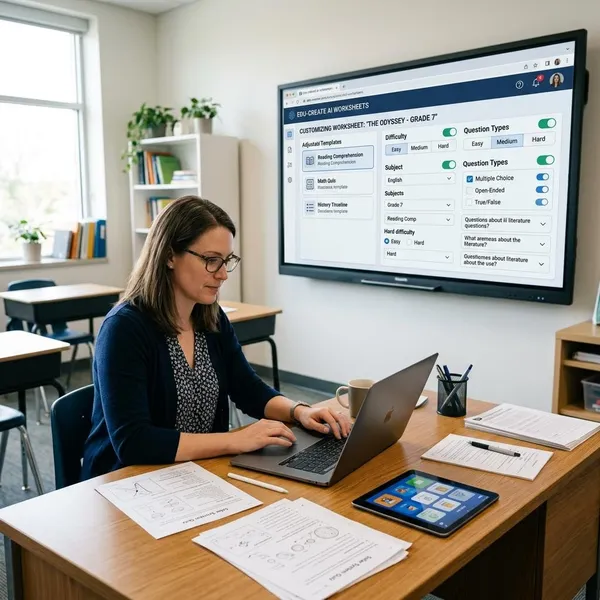
Best customizable AI worksheet software
Start by deciding what kind of control you actually need. A teacher making a quick exit ticket from a topic needs a different tool from someone converting old PDFs, adapting one article for three reading groups, or building a worksheet students complete online.
MagicSchool for all-in-one worksheet creation
MagicSchool is the easiest recommendation when you want one AI workspace for everyday teaching tasks. It works well when you begin with a topic, standard, grade level, or short prompt and need a usable worksheet draft quickly.
Diffit for differentiated learning materials
Diffit is the better choice when the same reading or topic needs to work for students at different levels. If one group needs simpler wording, another needs grade-level text, and a third needs more challenge, Diffit can reduce a lot of rewriting.
- Best fit: ELA, social studies, science readings, background knowledge, intervention support.
- Less ideal: visual worksheets, math drill sheets, or activities where layout matters more than text level.
- Teacher check: compare the adapted versions to make sure the skill target did not drift.
Eduaide for print-ready worksheets
Eduaide is useful when you want classroom practice that feels closer to something you can print and use. It is especially helpful for scaffolded questions, standards-aware practice, and support versions of the same task.
StudyGlen for worksheets from source files
StudyGlen stands out when your starting point is not a blank prompt but an existing source. If you have a PDF, copied notes, an image, or a scanned page, it can help turn that material into question-based practice.
Classwork.com for digitizing existing worksheets
Classwork.com makes the most sense when the worksheet already exists and the problem is delivery. Upload the file, add response fields, and turn a familiar handout into an online assignment.
Canva Education for printable worksheet design
Canva Education is the best pick when the worksheet has to look clean, age-appropriate, and easy to follow on paper. It is not mainly a worksheet-writing engine, but it is excellent for turning content into a polished handout.
For elementary centers, phonics pages, vocabulary sheets, classroom packets, and parent-facing materials, layout can matter as much as the questions. A common workflow is to generate the content in MagicSchool or Eduaide, then finish the printable design in Canva.
Wizer for interactive worksheets
Wizer is built for digital worksheet experiences rather than static paper handouts. It is a better match when students need to respond to videos, images, open-response prompts, matching tasks, or mixed media in one activity.
Choose it for blended learning, homework on devices, or assignments that need more structure than a simple document. If your main goal is fast AI drafting, another tool may be faster; if your goal is student interaction online, Wizer is more relevant.
What makes an AI worksheet tool customizable?
A customizable worksheet tool gives teachers control before and after generation. The key question is not "Can it make a worksheet?" but "Can I adjust the source, level, question style, format, and final output without rebuilding everything?"
Multiple ways to add source content
The best tools let you start from more than a typed prompt. A real classroom task may begin with a textbook excerpt, a copied article, a PDF, a screenshot, a scan, or yesterday's notes.
If you often reuse existing curriculum, file support should be one of your first checks. Upload one actual PDF or image-based worksheet during the trial period and see whether the tool reads it cleanly enough to save time.
Editable questions and instructions
AI-generated worksheets should be easy to revise. You need to delete weak questions, shorten directions, change vocabulary, add examples, and adjust the number of items without starting over.
Adjustable grade and reading levels
Level controls are valuable when students are working toward the same lesson goal but need different reading loads or question depth. This is where tools like Diffit become especially practical.
- Support version: simpler wording, fewer steps, more sentence frames.
- Core version: grade-level wording and the full skill target.
- Extension version: deeper questions, evidence prompts, or transfer tasks.
Flexible question types
A customizable worksheet should not force every task into multiple choice. Short answer, matching, fill-in-the-blank, labeling, sorting, and open response all measure different kinds of understanding.
Printable and digital formats
Decide early whether the worksheet will be printed, completed online, or used both ways. A page that looks fine on screen can become messy when printed, while a beautiful PDF may be awkward for students to complete on a device.
Answer keys and auto-grading
Answer keys are useful for teacher review, substitute plans, and quick checks. Auto-grading is more valuable when the worksheet is used online and includes objective question types.
Language and accessibility options
Language and accessibility controls matter when worksheets need to be readable for multilingual learners, emerging readers, or students who struggle with crowded pages. Useful options include simpler wording, translation support, cleaner layouts, larger spacing, and fewer distractions.
Which AI worksheet tool fits your workflow?
The fastest way to choose is to match the tool to your starting point and final format. A prompt-first teacher, a PDF-first teacher, and a digital-assignment teacher should not all choose the same platform.
MagicSchool for creating from a prompt
Pick MagicSchool if you usually start with "I need practice on this topic by tomorrow." It is a good match for quick review sheets, comprehension questions, exit tickets, and first drafts that you plan to adjust.
Diffit for adapting one text to different levels
Diffit fits the teacher who has one article or passage but several learner needs. It is especially useful when keeping the same content matters, but the reading demand has to change.
Eduaide for printable classroom practice
Eduaide works well for teachers who need printable practice with instructional structure. It is a sensible choice for guided practice, homework, station work, and scaffolded review.
StudyGlen for turning files into questions
StudyGlen is the better fit when your lesson starts with a file. Uploading a PDF, scan, or image and turning it into questions can save more time than asking an AI tool to invent new content.
- Use it when: you already trust the source material.
- Check carefully: OCR mistakes, missing context, and answer accuracy.
- Avoid it when: the worksheet needs polished visual design more than question generation.
Classwork.com for adding fields to PDFs
Classwork.com is best for making existing worksheets fillable online. It is a practical choice when the original material is already good and you only need student response boxes, assignment flow, or digital submission.
Canva Education for visual handouts
Canva Education fits classrooms where visual clarity affects whether students can use the worksheet independently. This is especially true for younger learners, centers, labeling tasks, project sheets, and packets that need clean spacing.
Wizer for multimedia activities
Wizer is the better workflow when the worksheet is really an online activity. Use it when you want students to watch, listen, label, type, match, or respond in different ways inside the same assignment.
How the top AI worksheet tools compare
The main differences are not hidden in long feature lists. They show up in seven practical areas: generation control, file support, editing, export quality, interactive question types, grading, and integration.
| Teacher need | Best-fit tools to test first | Watch out for |
|---|---|---|
| Fast worksheet draft from a topic | MagicSchool, Eduaide | Generic questions that need teacher editing |
| Leveled reading materials | Diffit | Adaptations that change the intended skill |
| PDF or scan to questions | StudyGlen | OCR errors and answer accuracy |
| Printable visual handouts | Canva Education, Eduaide | Extra formatting time after generation |
| Interactive online worksheets | Wizer, StudyGlen, Classwork.com | Student device experience and grading limits |
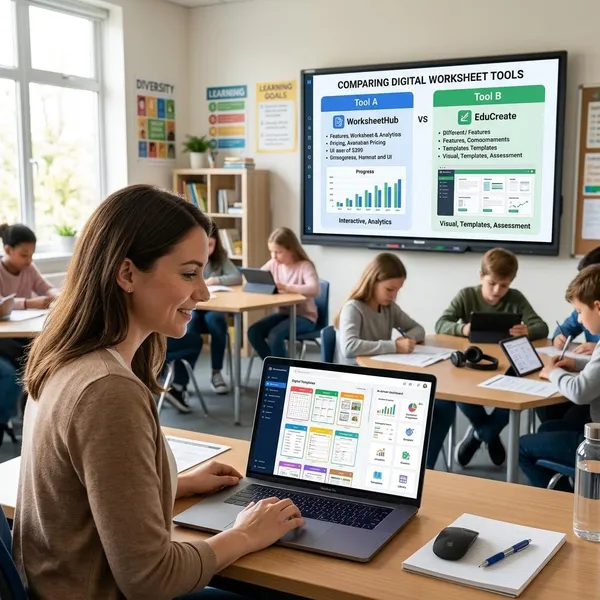
AI generation controls
MagicSchool is strong for broad prompt-based creation, Diffit is better for adapting text, Eduaide focuses on instructional scaffolding, and StudyGlen is strongest when generation begins from a file. The best control is the one that lets you specify level, question count, format, and purpose before the draft is created.
Input file support
StudyGlen has the clearest advantage for PDFs, scans, images, and copied source material. Classwork.com is useful when you want to keep the original worksheet and add digital response fields.
Editing options
Canva gives the strongest visual editing, while MagicSchool and Eduaide are easier for text-level revisions. Diffit is useful for level changes, but it is not mainly a design tool.
Print and export formats
Canva Education is strongest for polished printed handouts, with Eduaide also useful for print-oriented classroom practice. StudyGlen and Wizer are more valuable when the final assignment will be completed online.
Before relying on any tool for print, run one real export. Check page breaks, answer space, font size, and whether the worksheet still looks usable after printing in black and white.
Interactive question types
Wizer is the strongest option for interactive worksheet design because it supports more varied student responses and media-based tasks. StudyGlen is useful for quiz-style digital practice, while Classwork.com helps turn existing worksheets into fillable assignments.
- Use print-first tools for practice students complete by hand.
- Use interactive tools when the activity depends on media, online responses, or grading flow.
- Do not assume a printable worksheet will work well on a small student screen.
Grading and feedback
StudyGlen and Wizer are stronger when you need online checking or faster feedback. MagicSchool and Eduaide can help create answer keys, but the grading workflow may still be more manual.
For daily practice, this difference matters after the lesson. A tool that saves ten minutes creating the worksheet but adds fifteen minutes of checking may not be the best choice.
LMS integrations
Wizer and digital worksheet platforms are usually more relevant when assignments need to flow through Google Classroom or another LMS. Prompt-based tools may export content well, but you may still need extra steps to assign and collect work.
If you only use AI worksheets occasionally, integrations may not matter much. If you assign digital work several times a week, small workflow delays add up quickly.
Free plan limits
Free plans can be enough for light testing, but they vary and may change. Do not judge a tool only by the number of free generations; judge whether the free version lets you complete one real classroom task from start to finish.
Conclusion
The best choice is usually clear once you test one normal teaching task instead of comparing every feature. Use MagicSchool for fast prompt-based drafts, Diffit for leveled readings, Eduaide for printable practice, StudyGlen for source-file questions, Classwork.com for digitizing worksheets, Canva for clean handouts, and Wizer for interactive activities. If a tool saves time but leaves you fixing directions, layout, or answers every time, it is not the right fit for your classroom.
FAQS
Can ChatGPT create worksheets?
Can AI turn a PDF into a worksheet?
What is the best free AI worksheet generator?
Which AI tool makes printable worksheets?
Can AI worksheets include answer keys?